
Stop Generating AI Slop - Steal My Creative Workflow
A creative director's workflow for AI imagery that actually looks good.

I had a vision problem.
I’m building a consumer app called Brain Space — a collaborative life organizer that helps you outsource the mundane stuff (groceries, bills, scheduling, household coordination) so you can actually enjoy your life with the people you share it with.
For the welcome screen, I wanted something cinematic. Not a splash screen with a gradient and a logo. Not a stock photo of people smiling at a laptop. I wanted opening credits. The kind you’d see before an A24 film — a slow, breathing, intimate sequence of macro shots that makes you feel the life this app gives back to you.
Here’s what that vision would normally require: casting actors of different backgrounds, booking a film crew, scouting locations, renting lenses, hiring a colorist. We’re talking thousands of dollars and weeks of coordination. For a few seconds of footage on a welcome screen.
The alternative? Stock footage. A few hundred dollars, zero creative control, and that unmistakable stock-video flatness that tells your user “we didn’t care enough to make this ourselves.”
Neither option was viable. I’m a solo founder building this app as a side project.
So I built the whole thing in one evening, for the cost of my existing subscriptions.
Here’s exactly how.
The Tools
Before I walk through the process, here’s the stack:
Claude — for brainstorming, refining the art direction, and co-writing the image generation prompts. This is where the creative direction happened. I fed Claude the brand bible for Brain Space, shared reference images of the cinematic tone I was going for, and we iterated together on the visual language until we had a system.
A prompt formula from the Adobe team — a structured format for getting the most photorealistic results from Firefly’s image models: image type, subject, action, angle, lighting, background, color palette, style.
Adobe Firefly (Image Generation) — because the outputs are commercially safe. This matters. If you’re building a product, you need to know your assets won’t create IP issues. Having a Creative Cloud subscription means everything generated is cleared for commercial use.
Adobe Lightroom — to apply my own custom presets and color grading. This is where the AI output becomes mine. More on this in a moment.
Adobe Firefly (Video Generation) — to animate each still image into a slow, cinematic loop.
Full disclosure: I work with Adobe as an AI and creativity expert. This post is not a paid promotion for any of these tools. I genuinely use them in my creative process, and this is a real project I’m shipping.
The Creative Strategy
The story we’re telling with this sequence isn’t about the product. There are no screenshots, no UI, no feature callouts. It’s about a feeling.
The message is: this is the life that’s waiting for you when you stop spending your mental energy on logistics.
Every scene is a macro close-up — extreme detail, all texture and sensation. You never see a full face. You never see a room. You’re inside the moment, feeling it on your skin. The visual language borrows from A24 cinematography and Apple’s lifestyle campaigns: cinematic, warm, intimate, and treated with the gravity of a film frame.
I also made a deliberate decision: strong directional light and dramatic shadows in every single shot. That became the visual thread tying the whole sequence together, regardless of whether the scene was warm golden morning light or cool blue-teal date night.
The scenes we landed on:
The Touch — Two hands intertwining on a linen bedsheet. The warmth of connection. Intimacy without performance.
The Morning — Hands wrapped around a ceramic coffee mug, a second mug in the background held by someone else. You feel the other person’s presence without seeing them. A quiet morning, shared.
The Taste — Lips meeting the rim of a wine glass. Cool, teal-blue cinematic lighting. Date night. The tone shifts from morning warmth to evening sophistication — the reward of a day where nothing fell through the cracks.
The Serve — A hand reaching for a tennis ball on a sun-drenched court, golden light flaring through spread fingers. This scene breaks the domestic framing on purpose. Brain Space isn’t just for your home life — it’s for your life. The hobbies, the athletics, the things you never have time for because you’re managing everyone’s calendar.
The Plant — Fingers gently holding a deep green houseplant leaf. Warm afternoon light. The waxy texture of the leaf against skin. This is the “touch grass” shot — literally. The quiet act of tending to something that grows slowly, because you finally have the bandwidth to care.
The Foreheads — Two people, foreheads touching, golden light with dramatic shadows. The emotional climax. Presence. Together. Unhurried.
The Tagline — Make Brain Space for Life.
The Process: Image First, Then Animate
Here’s a workflow principle I’ve developed: always start with stills.
It’s faster, cheaper, and dramatically easier to iterate on a single image than a video. You can nail the composition, the lighting, the color palette, and the mood in a static frame. Once the image is exactly right, then you animate it.
This is the opposite of how most people approach AI video. They go straight to video generation, get mediocre results, and burn through credits trying to fix problems that should have been solved in the image stage.
My workflow for each scene followed four steps:
Step 1: Generate the Image
Using the prompt formula, I wrote detailed prompts for each scene — specifying the subject, the macro framing, the directional lighting with shadows, the color palette, and critically, the negative prompts that fight AI’s worst instincts (no stock photo aesthetic, no plastic skin, no flat lighting, no airbrushed texture).
Here’s the actual prompt I used for The Morning:
Photorealistic extreme macro photograph, two hands wrapped around a warm charcoal raw ceramic coffee mug with a second mug visible slightly out of focus in the background held by another pair of hands, extreme close-up on the foreground fingers and ceramic rim with visible steam rising, strong warm directional morning window light casting long dramatic shadows of the mugs and hands across a dark matte stone table surface, warm golden amber and cream tones with rich shadows and soft steam highlights, intimate tactile lifestyle macro photography shot on 100mm macro lens f/2.8 with shallow depth of field, NO retouching, NO flat lighting, NO stock photo aesthetic, NO plastic texture, NO overhead angle
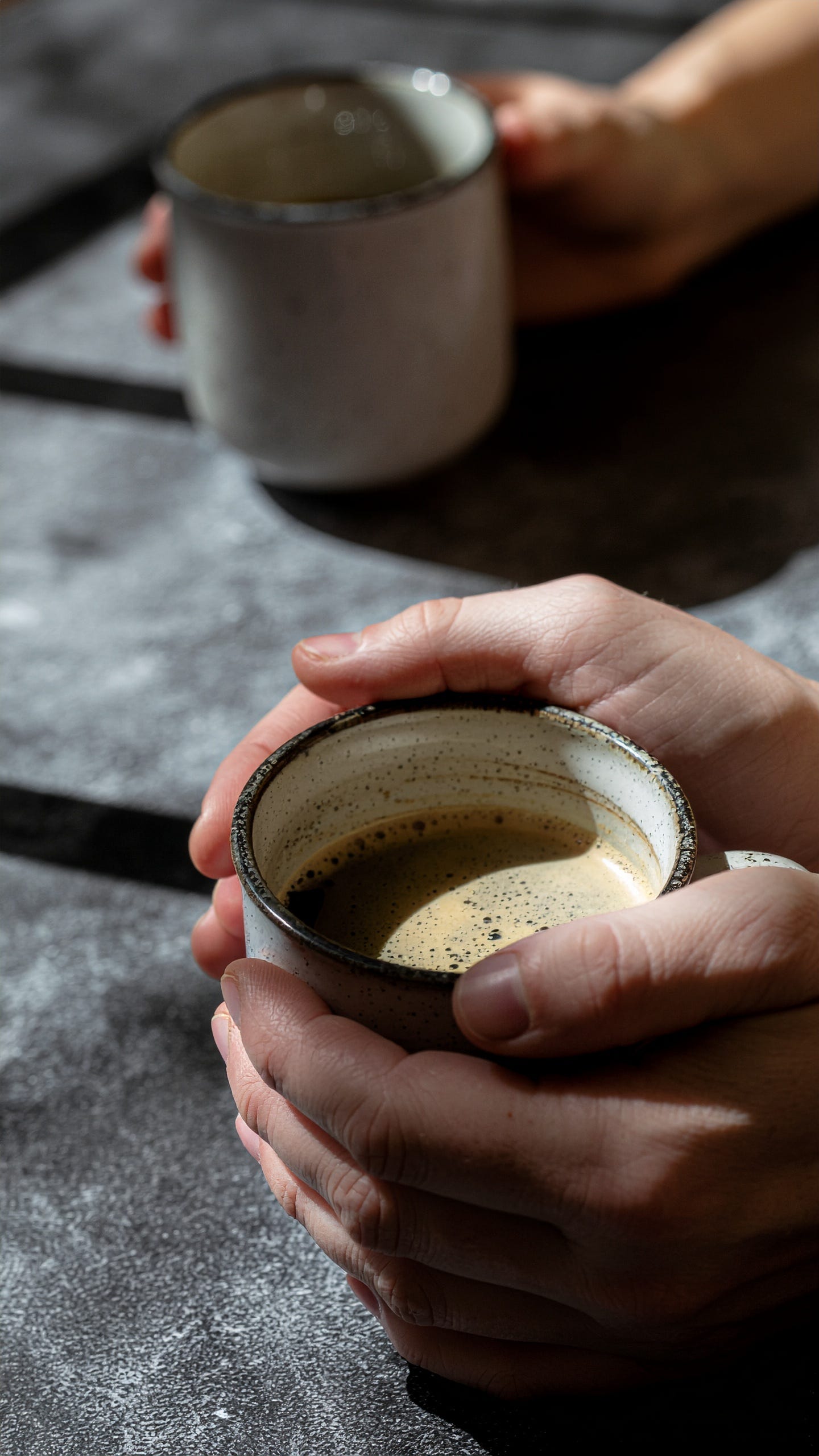
[Raw Firefly output — The Morning]Step 2: Grade in Lightroom
This is the step most people skip — and it’s the most important one.
AI-generated images look like AI-generated images. They have a specific “cleanliness” that reads as uncanny. The fix isn’t a better prompt. It’s post-production.
I brought every image into Lightroom and applied my own color grading — the same presets and adjustments I’ve developed over years of photography and video editing. Crushing the blacks slightly, pulling warmth into the shadows, adding subtle grain, adjusting the tone curve. This is where the image stops being an AI output and starts being mycreative work.
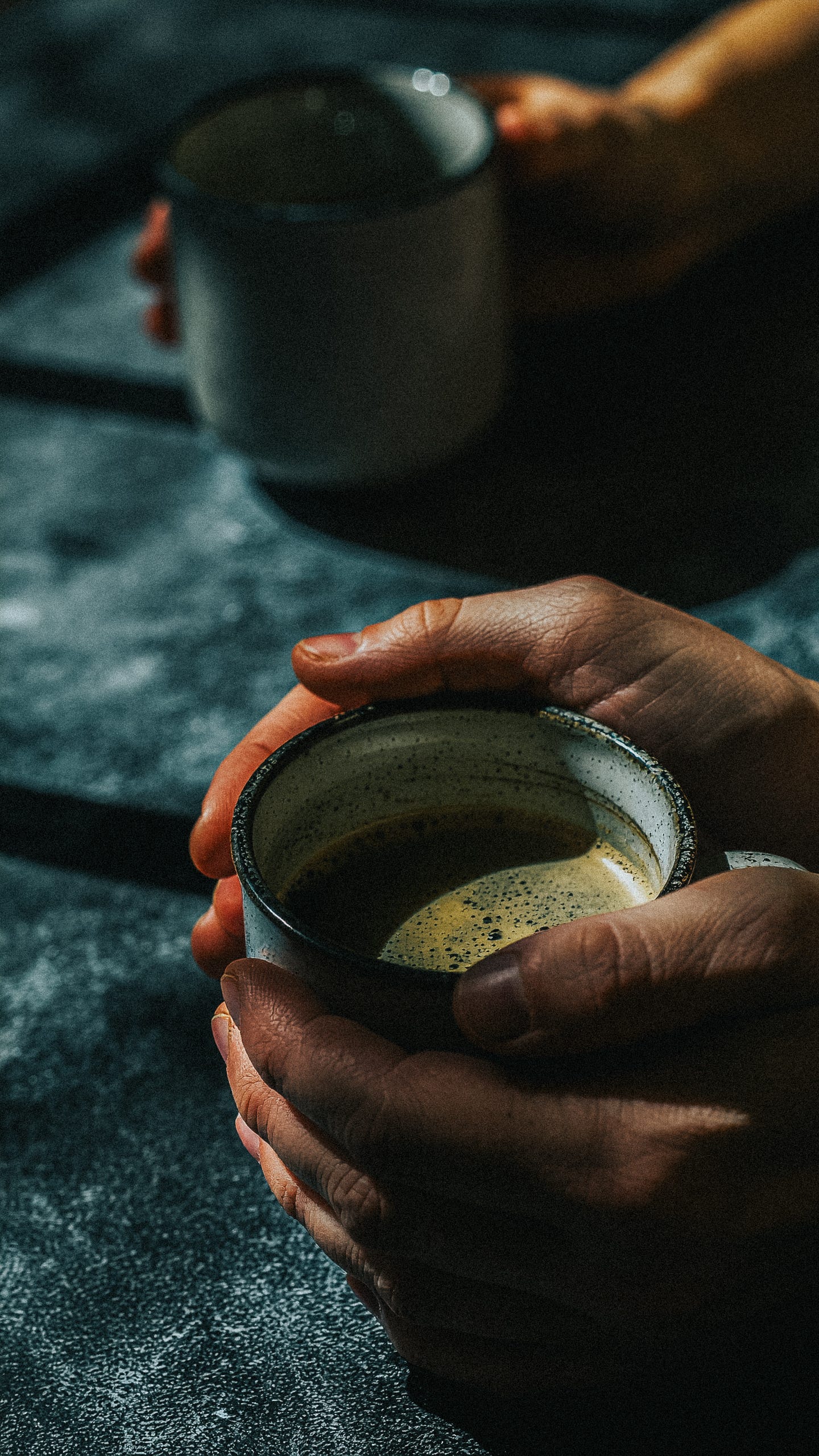
[Lightroom adjustments — The Morning]Step 3: Animate with Firefly Video
With the graded image locked, I fed it into Firefly’s image-to-video model. The key here: describe only the motion, not the image. The model already has the visual — you’re telling it what moves.
The motion philosophy across every scene: barely alive. Think of the image breathing. If someone can immediately tell it’s a video, it’s too much. The feeling should be subconscious calm.
Here’s the motion prompt for The Morning:
Very slow subtle steam rising from the coffee surface, gentle barely perceptible thumb movement as if softly gripping the ceramic mug, warm light slowly shifting across the knuckles and coffee surface, the liquid in the cup has a very faint slow ripple as if the table was barely nudged, the second person’s hand in the background shifts almost imperceptibly, extremely slow and minimal motion, ambient and meditative, cinematic
Step 4: Quality Control
Every generated video gets scrutinized for AI artifacts. I have specific “quality tests” for each scene — anchor points that must remain sharp and natural. For The Morning, it’s the coffee liquid surface (must move like real liquid, not wobble like jelly) and the ceramic rim edge (must stay crisp). Any frame that warps, smears, or distorts at these anchor points? Rejected. Regenerate.
Every Scene, Start to Finish
Here’s the complete breakdown for each shot in the sequence.
The Touch
Image prompt:
Photorealistic extreme macro photograph, two hands slowly intertwining fingers on a warm linen bedsheet, extreme close-up filling the entire frame showing knuckle detail and visible skin texture and fine hair on fingers, strong warm directional side light casting long dramatic shadows of the fingers across the crumpled linen fabric, shallow depth of field with one hand in sharp focus and the other softly falling off, warm golden amber tones with deep rich shadows and soft highlights on the skin, intimate tactile editorial macro photography shot on 100mm macro lens f/2.8 in natural morning light, NO retouching, NO airbrushed skin, NO plastic texture, NO flat even lighting, NO stock photo aesthetic
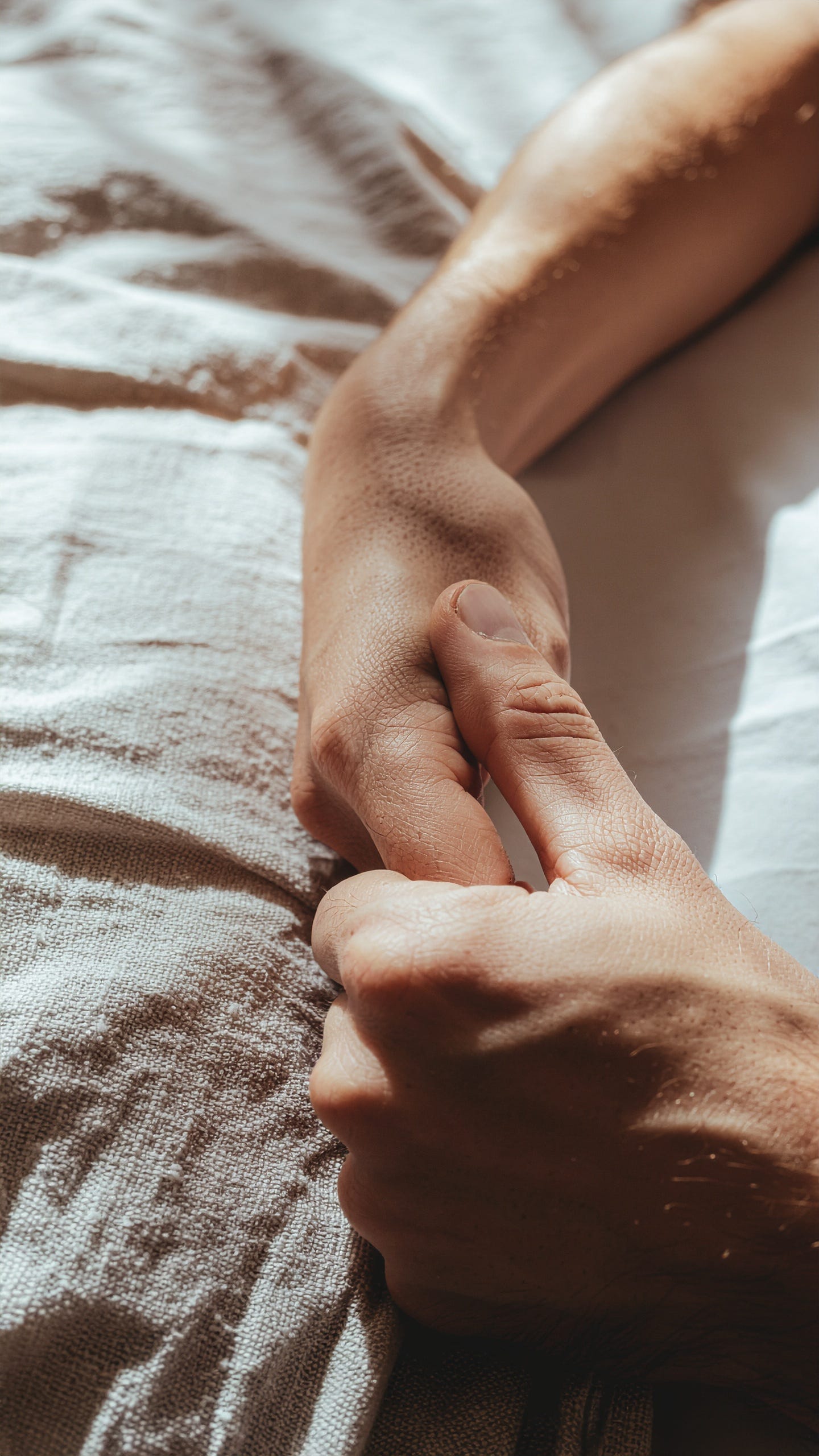
[IMAGE: Raw Firefly output]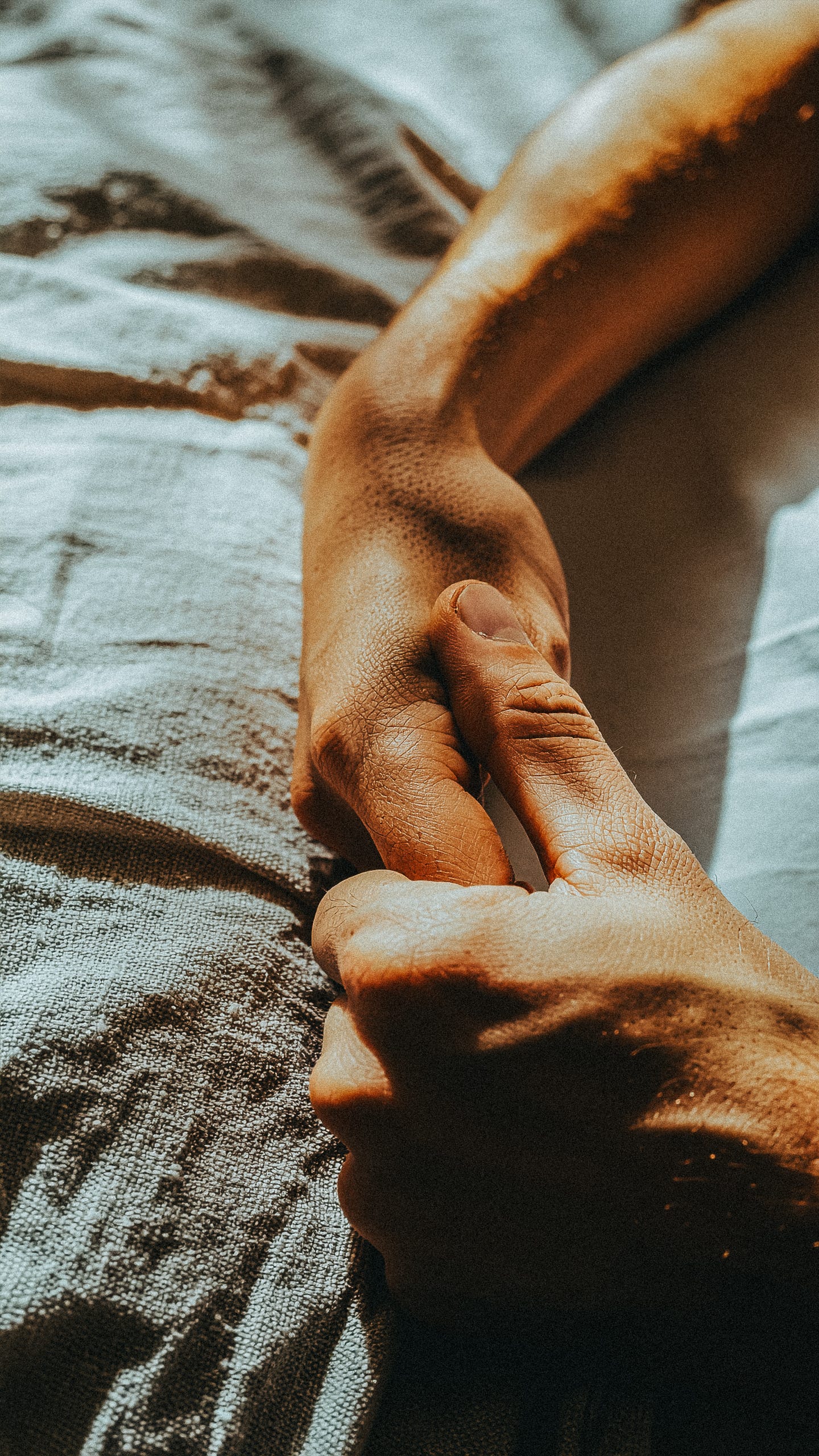
[IMAGE: After Lightroom grading]Motion prompt:
Very slow subtle finger movement as if the hands are gently tightening their grip, soft warm light slowly shifting across the skin and linen, barely perceptible shadows lengthening across the fabric, the linen sheet creases shift almost imperceptibly with the subtle hand pressure, extremely slow and minimal motion, ambient and meditative, cinematic
The Taste
Image prompt:
Photorealistic extreme macro photograph, lips meeting the thin rim of a crystal wine glass with red wine visible through the glass, extreme close-up filling the frame with visible lip texture and the edge of the glass catching light, cool cinematic teal-blue directional lighting from one side casting dramatic shadows across the jaw and neck, dark moody background with deep blue-black tones, desaturated cool teal palette with deep shadows and a subtle warm reflection in the wine, intimate cinematic editorial macro photography shot on 100mm macro lens f/2.8 in low dramatic light, NO flash, NO flat lighting, NO airbrushed skin, NO stock photo aesthetic, NO overexposed highlights
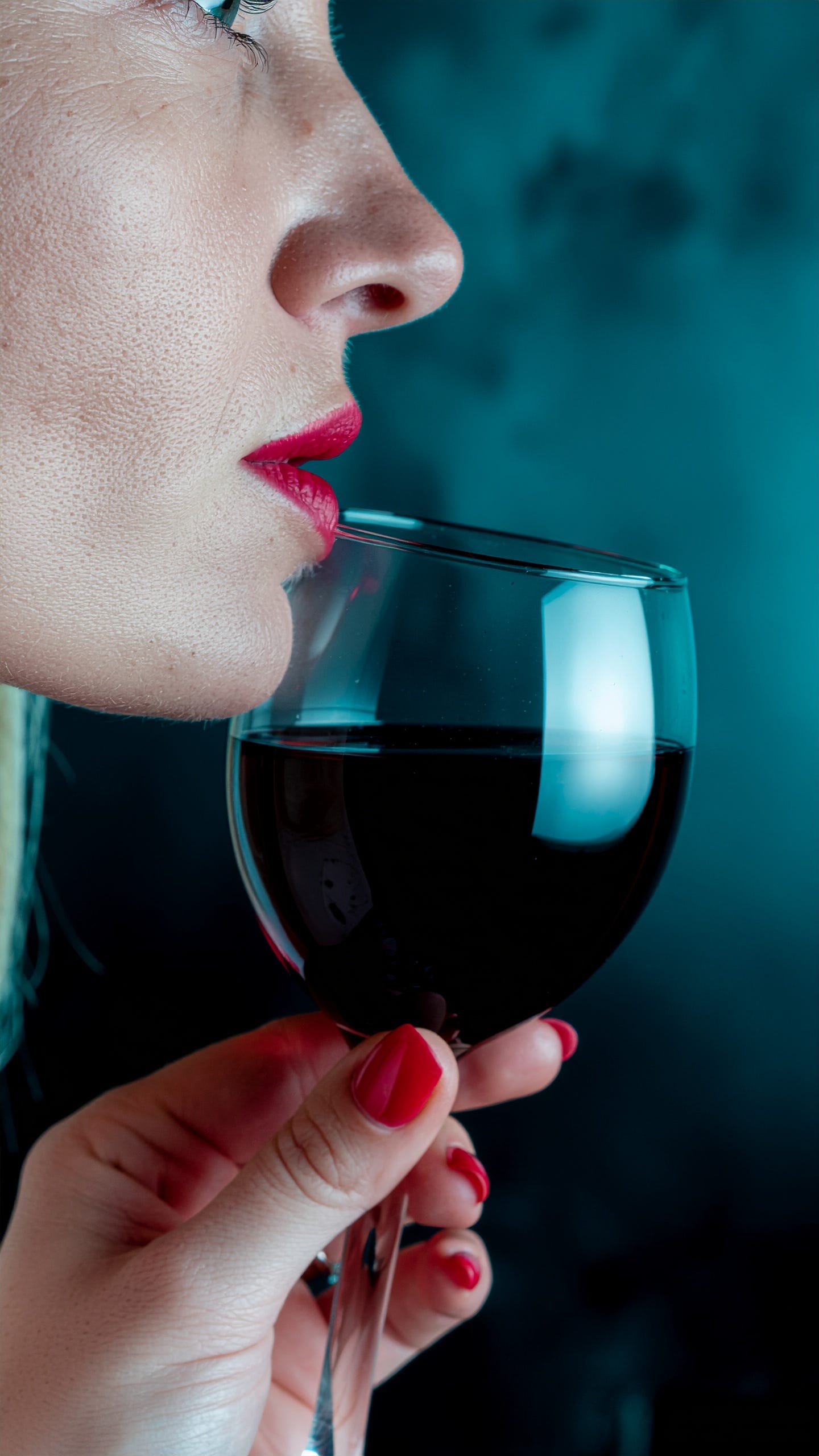
[IMAGE: Raw Firefly output]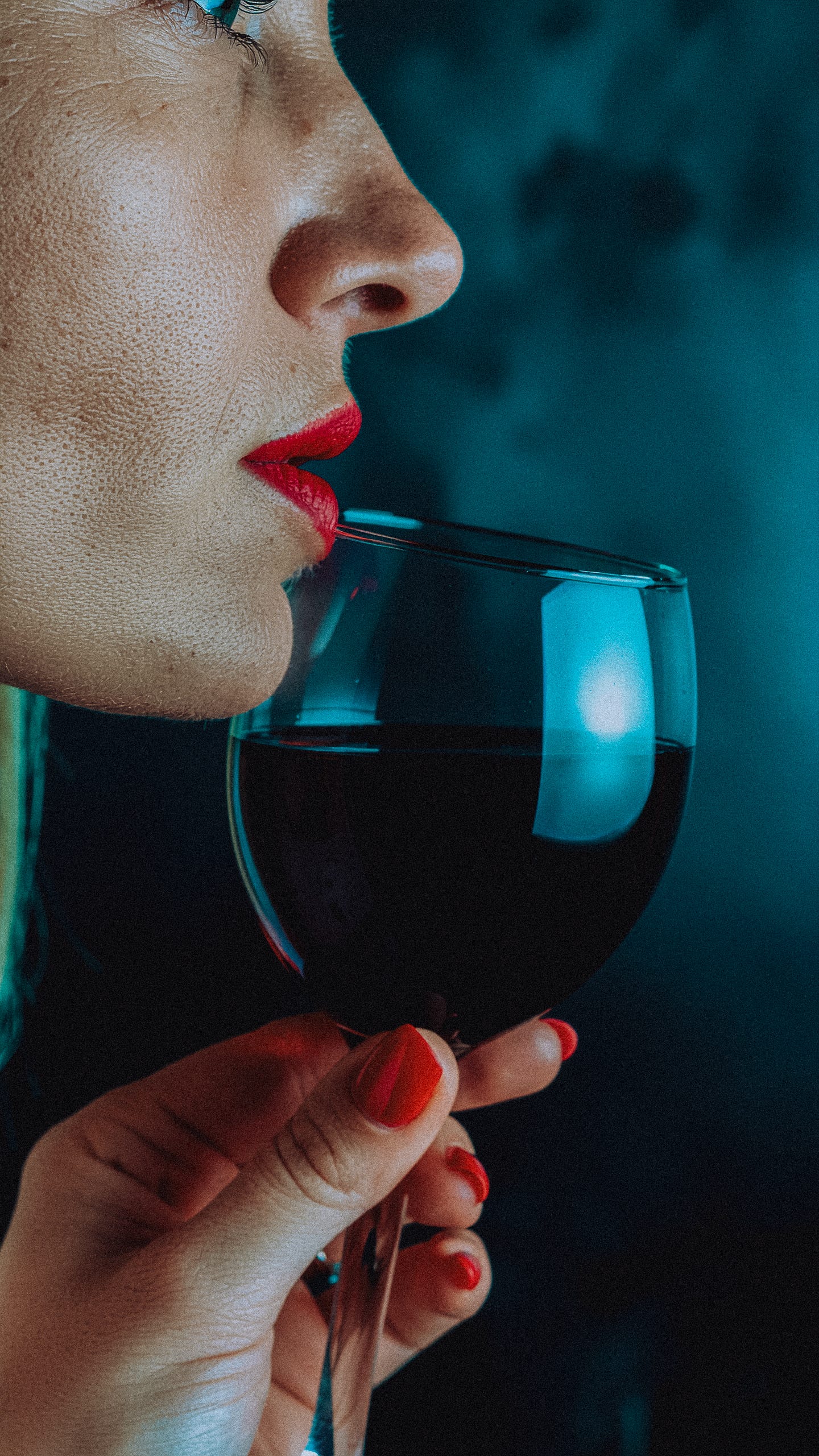
[IMAGE: After Lightroom grading]Motion prompt:
Very slow subtle movement of the glass tilting slightly toward the lips as if about to take a sip, the wine inside the glass shifts gently with a barely perceptible liquid surface movement, soft teal background light slowly shifts and breathes like a distant candle or ambient room light, a very faint subtle exhale breath visible in the slight movement of the lower lip, extremely slow and minimal motion, ambient and meditative, cinematic
The Serve
Image prompt:
Photorealistic extreme macro photograph, a Black man’s hand bouncing a bright tennis ball on a green hard court surface fingers spread and about to grip the ball, extreme close-up filling the frame with visible skin texture on the palm and knuckles and the felt texture of the tennis ball, strong warm directional golden-hour sunlight from a low angle casting a long dramatic shadow of the hand and ball across the court surface, warm amber and green tones with deep shadows and bright highlights on the ball felt, athletic tactile editorial macro photography shot on 100mm macro lens f/2.8 with shallow depth of field, NO retouching, NO flat lighting, NO stock photo aesthetic, NO plastic skin, NO overhead angle
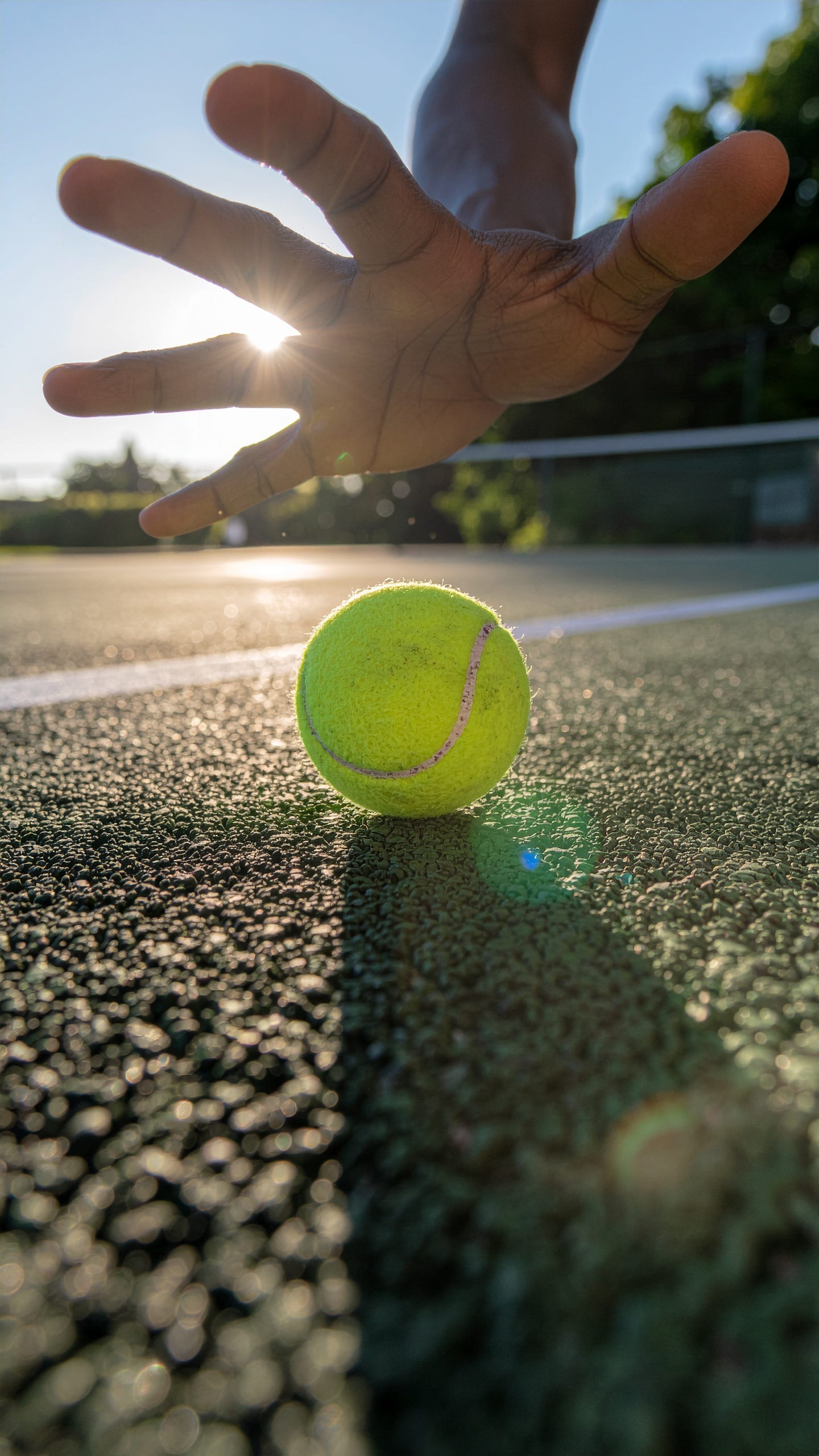
[IMAGE: Raw Firefly output]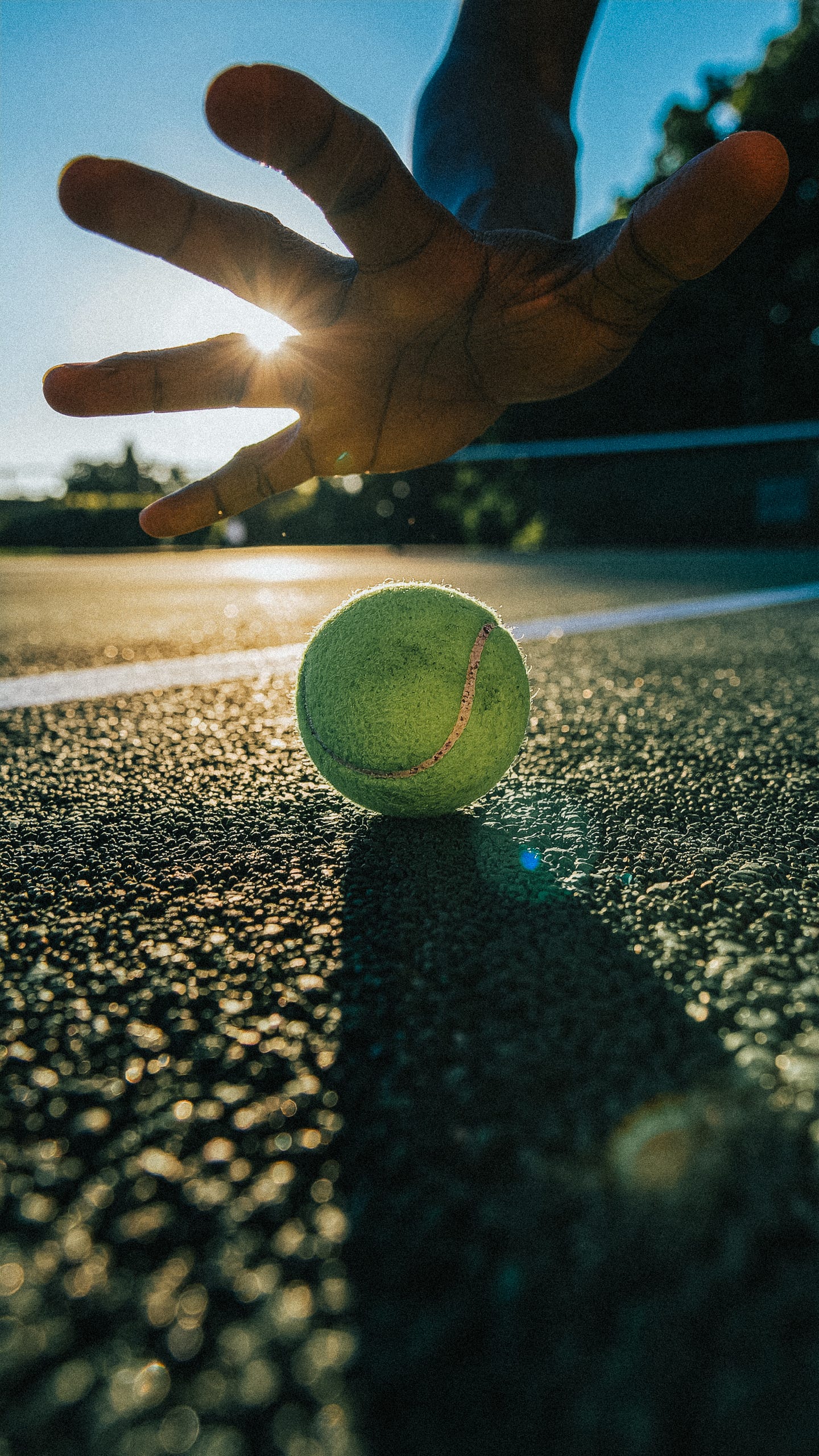
[IMAGE: After Lightroom grading]Motion prompt:
The hand slowly reaches down and grips the tennis ball lifting it slightly off the court surface, fingers closing around the felt texture, the golden sunlight flares shift subtly through the fingers as the hand moves, the long shadow on the court surface shifts with the hand motion, very slow deliberate athletic movement, extremely cinematic and minimal, ambient and meditative
The Plant
Image prompt:
Photorealistic extreme macro photograph, fingers gently touching a large green houseplant leaf with visible leaf vein texture and subtle moisture, extreme close-up filling the frame with visible fingerprint detail and the waxy surface of the leaf, strong warm directional afternoon side light casting a long dramatic shadow of the leaf and hand across a soft blurred warm interior background, warm golden green and amber tones with deep rich shadows and soft translucent light passing through the leaf edge, intimate tactile editorial macro photography shot on 100mm macro lens f/2.8 with shallow depth of field, NO retouching, NO flat lighting, NO stock photo aesthetic, NO plastic skin, NO overhead angle
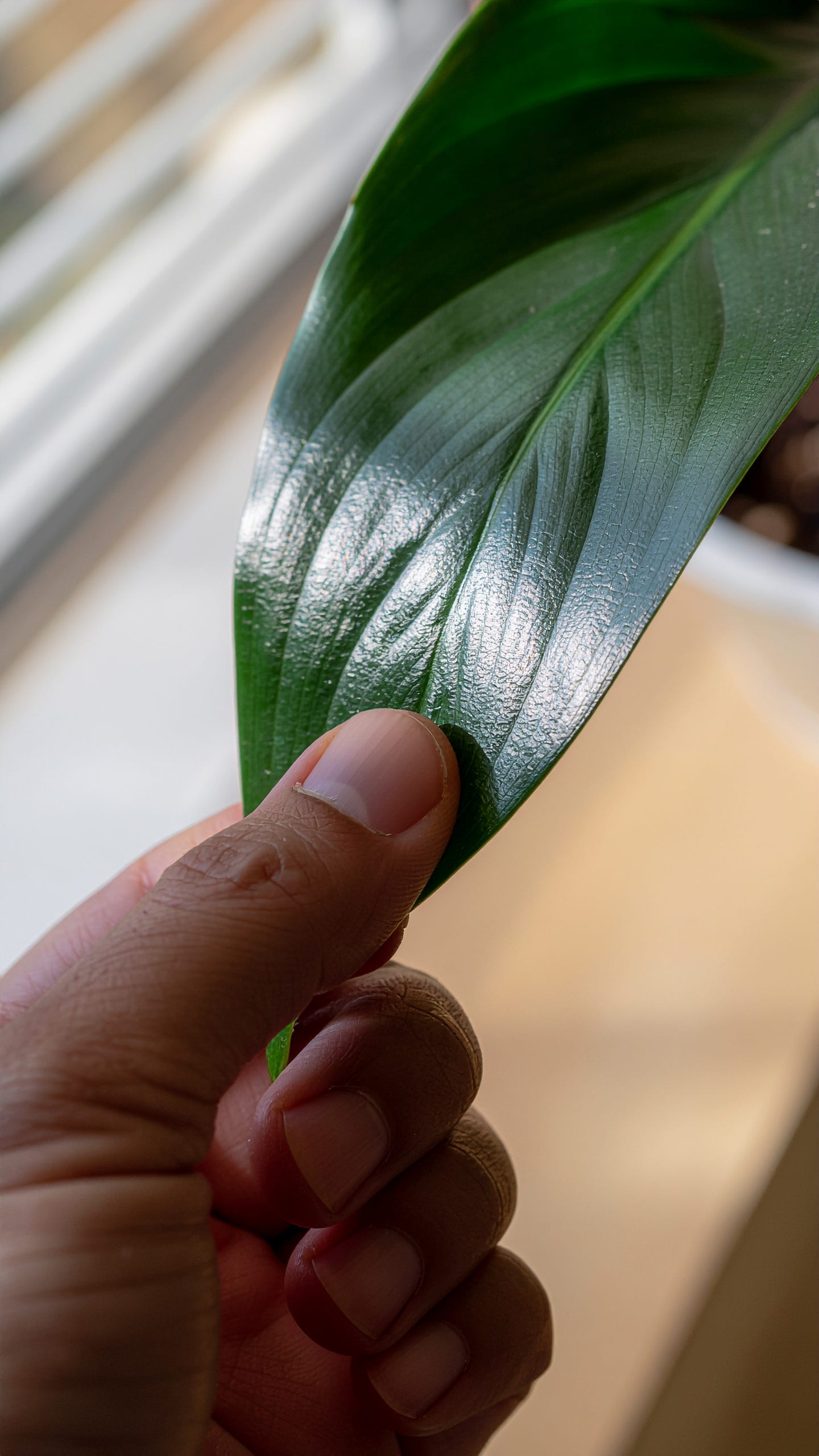
[IMAGE: Raw Firefly output]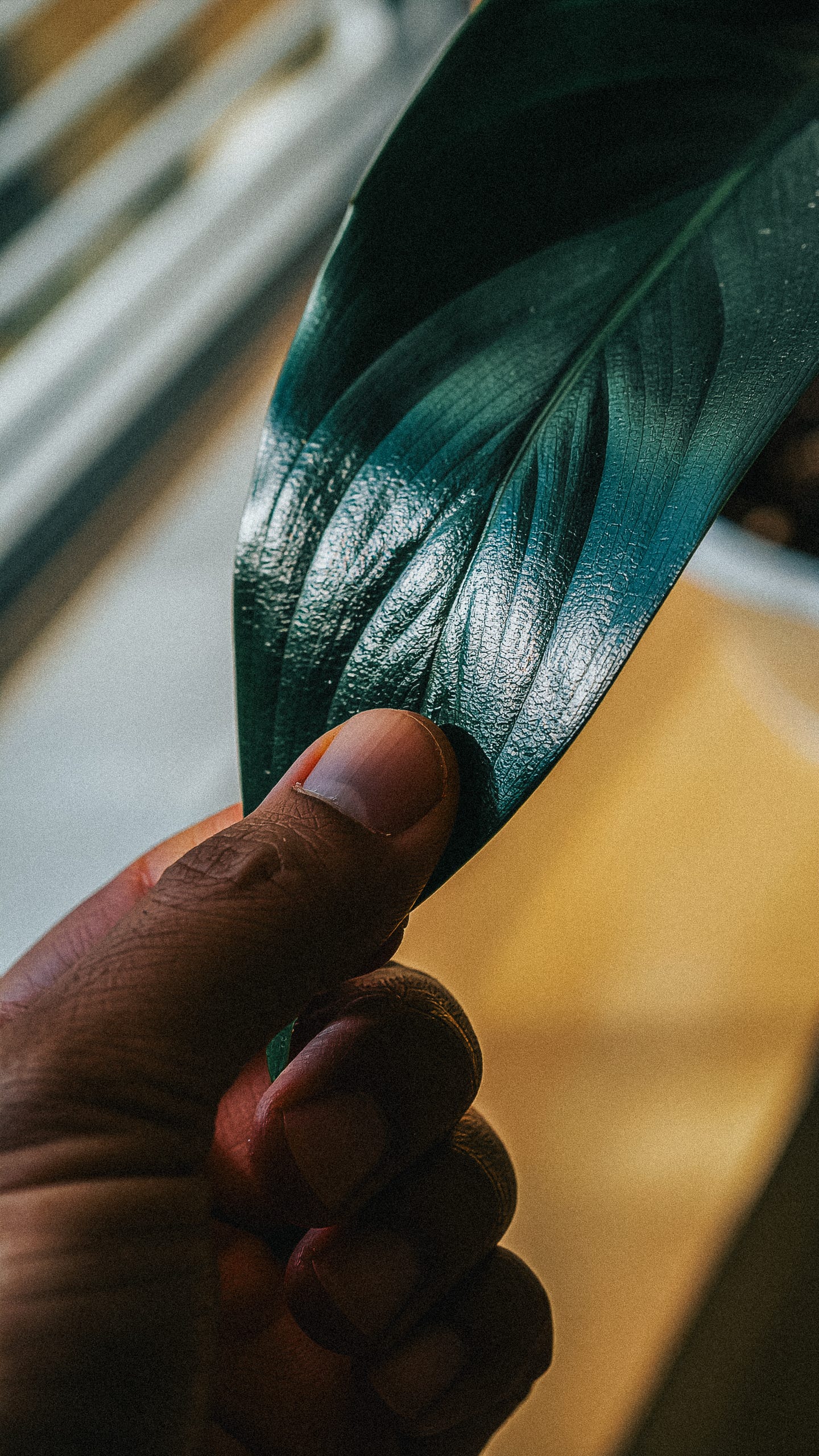
[IMAGE: After Lightroom grading]Motion prompt:
Very slow subtle thumb gently stroking across the surface of the leaf, the leaf responds with a barely perceptible bend and sway, warm afternoon light slowly shifts across the waxy leaf surface creating a moving highlight, the soft golden background bokeh breathes gently, extremely slow and minimal motion, ambient and meditative, cinematic
Why This Worked
I want to be honest about something: the reason this worked isn’t because AI is magic.
It worked because I’ve spent years developing my eye. I’ve studied Christopher Nolan, Fincher, and other film director’s color palettes. I’ve analyzed how Apple shoots product lifestyle campaigns — the way they treat an ordinary moment with the gravity of cinema. I’ve shot and edited my own films and photography. I know what a 100mm macro lens at f/2.8 actually looks like, which is why I can ask for it in a prompt and recognize when the output is wrong.
The AI didn’t replace any of that. It required all of that.
What AI replaced was the production budget. The casting. The crew. The locations. The weeks of coordination. It compressed a process that would have cost thousands of dollars and taken a month into a single evening at my desk.
And critically — Lightroom is where the real creative work happened. The raw AI outputs were good. The graded outputs were mine. That step is the difference between “AI-generated content” and “my creative work, assisted by AI.”
A Note on What I Believe
I’ll say this plainly: I don’t think companies with budgets should be using AI to replace artists.
If Netflix is making a film, they should hire cinematographers, colorists, set designers, and actors. If a major brand is shooting a campaign, they should book the crew. The technology exists to augment human creativity — to help individuals and small teams accomplish things that were previously impossible — not to eliminate the livelihoods of the people who mastered these crafts.
For me, as a solo founder building an app on the side, AI made it possible to deliver a result I could never have achieved alone. That’s the right use case. Technology should expand what’s possible without eroding our sense of purpose.
That’s a line worth holding.
What’s Next
Brain Space launches soon. If you’re someone who shares a life with other people — a partner, roommates, family — and you’re drowning in the invisible labor of keeping it all running, this app is being built for you.
Subscribe to this newsletter. The launch announcement is coming in the next few weeks, and subscribers get to know it first!
In the meantime: go touch grass. You’ve earned it.
Dr. Ax Ali is a founder, product designer, and AI creativity expert. He holds a PhD in Human-Computer Interaction from the University of Washington and has led product at Apple, Amazon, and Bilt Rewards. He is the founder of Seena Labs and Brain Space, and writes the Everything is Designed newsletter.